Can you actually run a smart home without internet? The short answer is: Yes—but with limitations. Most people assume smart homes depend entirely on Wi-Fi. But in reality, many devices can still function locally without an internet connection. Let’s break down how it works and what you can expect. What Is a Smart Home Without Internet? A smart home without internet uses devices that communicate through: Local networks Bluetooth Zigbee or Z-Wave hubs Instead of cloud control, everything runs within your home network. Can Smart Home Devices Work Without Internet? Yes—but not all features will work. What Works Without Internet Turning lights on/off Motion sensor automation Smart switches Local routines These functions rely on direct device communication. What Won’t Work Without Internet Voice assistants Remote access from your phone Cloud-based automation Software updates Anything that needs external servers will stop...
Can you actually run a smart home without internet? The short answer is: Yes—but with limitations. Most people assume smart homes depend entirely on Wi-Fi. But in reality, many devices can still function locally without an internet connection.
Let’s break down how it works and what you can expect.
What Is a Smart Home Without Internet?
A smart home without internet uses devices that communicate through:
Instead of cloud control, everything runs within your home network.
Can Smart Home Devices Work Without Internet?
Yes—but not all features will work.
What Works Without Internet
- Turning lights on/off
- Motion sensor automation
- Smart switches
- Local routines
These functions rely on direct device communication.
What Won’t Work Without Internet
- Voice assistants
- Remote access from your phone
- Cloud-based automation
- Software updates
Anything that needs external servers will stop working.
Best Devices for a Smart Home Without Internet
Not all devices are built for offline use. Choose wisely.
1. Smart Hubs (Local Control)
- Zigbee or Z-Wave hubs
- Central control without cloud dependency
2. Smart Lights & Switches
- Work with local automation
- Ideal for offline setups
3. Sensors (Motion, Door, Temperature)
- Trigger actions within your home
- No internet required
4. Home Automation Systems
- Platforms like local servers or hubs
- Allow full control without cloud reliance
How to Set Up a Smart Home Without Internet

Step 1: Choose a Local Hub
Pick a hub that supports offline automation.
Step 2: Use Compatible Devices
Ensure your devices support:
Step 3: Create Local Automations
Set routines like:
- Lights turn on when motion is detected
- Devices operate based on time schedules
Step 4: Avoid Cloud-Only Devices
Some devices stop working completely without internet.
Always check before buying.
Pros and Cons of Smart Home Without Internet
Pros
✔ Works during internet outages
✔ Better privacy (no cloud tracking)
✔ Faster response time
Cons
❌ No remote access
❌ Limited smart features
❌ No voice assistant support
Is a Smart Home Without Internet Worth It?
It depends on your needs.
Choose this setup if you want:
- Privacy
- Reliability during outages
- Basic automation
Avoid it if you rely on:
- Alexa or Google Assistant
- Remote control
- Advanced integrations
FAQs
Can a smart home work without internet?
Yes, many smart home devices work locally using hubs, Bluetooth, or Zigbee without needing internet access.
Do smart lights work without internet?
Yes, if connected to a local hub or switch, smart lights can function without internet.
Can I control smart home devices without Wi-Fi?
Yes, you can use local networks, hubs, or Bluetooth to control devices without Wi-Fi.
Do Alexa or Google Assistant work offline?
No, voice assistants require an internet connection to process commands.
What is the best setup for a smart home without internet?
Use a local hub with Zigbee or Z-Wave devices and set up offline automation routines.
A smart home without internet is not only possible—it’s practical in many cases. You just need the right setup. If you focus on local control instead of cloud dependency, your smart home will:
- Stay reliable
- Work during outages
- Protect your privacy
And that’s something most modern setups still struggle with.



Solana’s Worth in Future: What Could 1 SOL Be Worth?
How to Wake Up the System From Sleep Mode on Any Computer
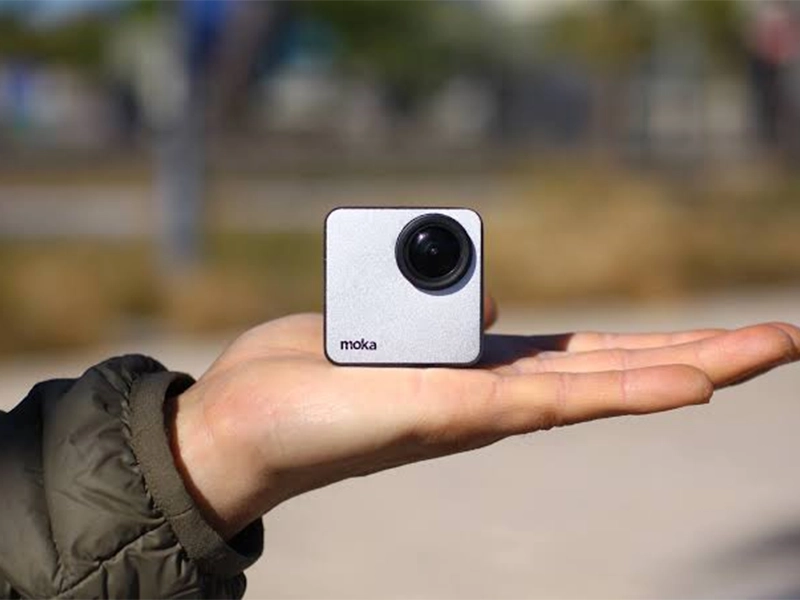
The Mokacam 4K Sports and Action Camera: Tiny but Powerful
How to Choose the Best Document Scanner for Your Needs