If you’re tired of messy paperwork, missing files, or using your phone camera as a backup, it might be time to invest in the best document scanner for your needs. A good scanner can save time, organize your work life, and help you store everything digitally — from bills and contracts to family photos. But with so many options available, how do you know which scanner is truly the “best”? Here’s a simple breakdown to help you choose the right one without getting lost in tech jargon. 1. Check the Scan Quality (DPI) DPI means dots per inch, and it basically measures how sharp your scanned documents will be. 300 DPI is enough for everyday documents. 600 DPI or higher is better for photos, artwork, or detailed images. If you need clean, crisp scans, look for higher DPI. 2. Look...
If you’re tired of messy paperwork, missing files, or using your phone camera as a backup, it might be time to invest in the best document scanner for your needs. A good scanner can save time, organize your work life, and help you store everything digitally — from bills and contracts to family photos.
But with so many options available, how do you know which scanner is truly the “best”? Here’s a simple breakdown to help you choose the right one without getting lost in tech jargon.
1. Check the Scan Quality (DPI)
DPI means dots per inch, and it basically measures how sharp your scanned documents will be.
- 300 DPI is enough for everyday documents.
- 600 DPI or higher is better for photos, artwork, or detailed images.
If you need clean, crisp scans, look for higher DPI.
2. Look at the Scanning Speed
If you scan a lot of pages at once, speed matters.
- Measured in PPM (pages per minute)
- Faster models save time for offices or students who deal with heavy paperwork. For home use, moderate speed is usually enough.
3. Decide Between Flatbed and Sheet-Fed Scanners
Your choice depends on what you plan to scan.
Flatbed Scanners
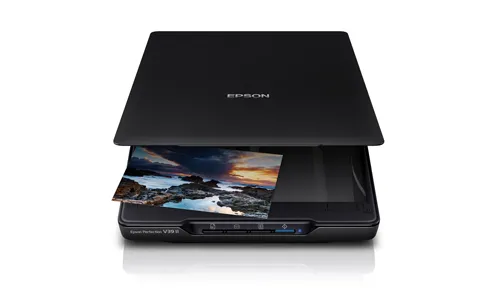
- Best for photos, IDs, books, or fragile papers
- Offer high-quality scans
- Slower for multiple pages
Sheet-Fed Scanners
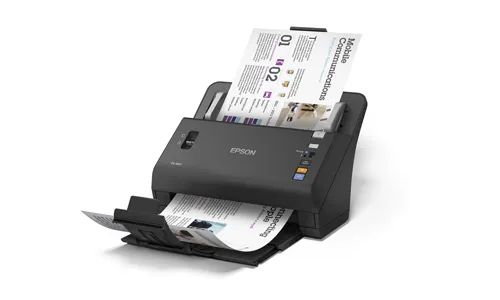
- Great for scanning many pages quickly
- Often include automatic document feeders (ADF)
- Perfect for office use
If you handle mixed materials, you might even want a combination model.
4. Check the Connectivity Options
Modern scanners come with multiple ways to connect:
Choose the option that fits how you work.
5. Look for OCR (Optical Character Recognition)
OCR is a must-have feature if you want to convert scanned pages into editable text.
This is helpful for:
- Editing documents
- Searching through scanned files
- Copying text from printed materials
If productivity matters to you, never skip OCR.
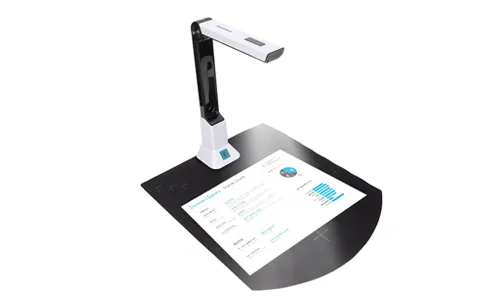
6. Consider Size and Portability
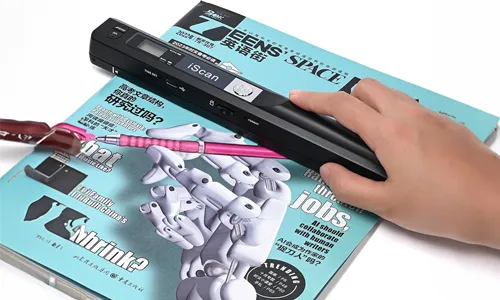
Not everyone needs a large desktop scanner.
- Portable scanners are good for students, travelers, or freelancers
- Desktop scanners are ideal for offices and high-volume scanning
Pick the size that matches your routine and space.
7. Compare Prices and Warranty
Price depends on features, speed, and build quality.
Always check:
- Warranty period
- Customer support
- Replacement parts availability
A slightly higher investment often means better durability.
FAQs
What is the best DPI for a document scanner?
300 DPI works for most documents, while 600 DPI or more is ideal for photos.
Are portable document scanners good?
Yes, they are convenient for travel and quick scans, though not as powerful as full-size models.
Do all scanners support OCR?
No. Choose a model with OCR if you want editable or searchable text.
Which scanner is best for office use?
A fast sheet-fed scanner with ADF and cloud support works best for office needs.
Can I use a scanner without a computer?
Many new models offer Wi-Fi and mobile apps, so you can scan directly to your phone or cloud.




Solana’s Worth in Future: What Could 1 SOL Be Worth?
How to Wake Up the System From Sleep Mode on Any Computer
The Mokacam 4K Sports and Action Camera: Tiny but Powerful
Micromax 50 Inch LED TV: Should You Still Buy It?