Your Android phone is far more powerful than it looks. Beneath the familiar apps and settings lies a layer of hidden android features designed to save time, boost performance, and improve privacy. The catch? Most of these tools are buried deep inside menus or simply not advertised. Let’s unlock some of the most useful ones. Split Screen: Multitask Like a Pro One of the most underrated hidden android features is split-screen mode. It lets you: Watch videos while replying to messages Browse the web while taking notes Run two apps side by side Despite being around for years, many users never use it—even though it can dramatically improve productivity. Developer Options: The Secret Control Panel Hidden behind a simple trick (tapping “Build Number” multiple times), Developer Options unlock advanced controls. You can: Speed up animations Limit background processes Force higher...
Your Android phone is far more powerful than it looks. Beneath the familiar apps and settings lies a layer of hidden android features designed to save time, boost performance, and improve privacy.
The catch? Most of these tools are buried deep inside menus or simply not advertised.
Let’s unlock some of the most useful ones.
Split Screen: Multitask Like a Pro
One of the most underrated hidden android features is split-screen mode.
It lets you:
Despite being around for years, many users never use it—even though it can dramatically improve productivity.
Developer Options: The Secret Control Panel

Hidden behind a simple trick (tapping “Build Number” multiple times), Developer Options unlock advanced controls.
You can:
- Speed up animations
- Limit background processes
- Force higher refresh rates
It’s essentially a power-user toolkit, but use it carefully since some settings can affect performance.
Live Captions and Read Aloud
Your phone can automatically generate captions for videos and even read content out loud.
These accessibility tools are part of Android’s hidden arsenal and are useful for:
- Watching videos silently
- Multitasking while listening to articles
- Improving accessibility
They turn your phone into a smarter, more adaptive device.
Wi-Fi Sharing via QR Code
Still typing long Wi-Fi passwords? There’s a better way.
Android lets you:
- Generate a QR code for your network
- Let others connect instantly by scanning
It’s one of those simple but game-changing hidden android features that feels obvious once you discover it.
Focus Mode and App Pinning
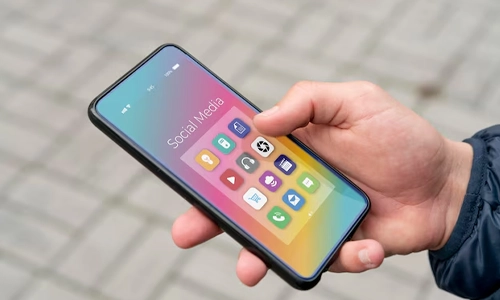
Need fewer distractions? Android has built-in tools for that.
- Focus Mode pauses distracting apps
- App Pinning locks your screen to one app
These features are perfect for work sessions, studying, or even handing your phone to someone safely.
Emergency and Safety Features
Android also includes life-saving tools many users ignore.
You can:
- Add medical info accessible from the lock screen
- Trigger Emergency SOS with a button press
These features are quick to set up and can be critical in real-world situations.
Why These Features Stay Hidden
Android’s biggest strength is flexibility—but that also means complexity. With so many menus, versions, and device variations, useful tools often remain buried or overlooked.
The best part about these features is that you don’t need to download anything. They’re already there, waiting to be used. Explore your settings, experiment a little, and you’ll likely discover tools that make your phone faster, smarter, and far more useful.
Sometimes, the upgrade you need isn’t a new phone. It’s just knowing what your current one can really do.




Can a Smart Home Work Without Internet? Explained
Solana’s Worth in Future: What Could 1 SOL Be Worth?
How to Wake Up the System From Sleep Mode on Any Computer
The Mokacam 4K Sports and Action Camera: Tiny but Powerful