After more than a decade of widespread use, Windows 10 support is coming to an official close. As of October 14, 2025, Microsoft will no longer issue feature updates, security patches, or technical assistance for the OS. But don’t panic just yet—Microsoft is offering a lifeline for users who can’t immediately upgrade. In many cases, you can still get security updates for another year through the Extended Security Updates (ESU) program. This blog will guide you through the implications of Windows 10 support ending, including how to enroll in ESU, your upgrade options, potential risks, and the next steps to take. What Happens When Windows 10 Support Ends? Once Windows 10 support ends: Microsoft will stop releasing security updates and patches for vulnerabilities in the OS. No more feature updates, bug fixes, or official technical support. Your PC will still...
After more than a decade of widespread use, Windows 10 support is coming to an official close. As of October 14, 2025, Microsoft will no longer issue feature updates, security patches, or technical assistance for the OS.
But don’t panic just yet—Microsoft is offering a lifeline for users who can’t immediately upgrade. In many cases, you can still get security updates for another year through the Extended Security Updates (ESU) program.
This blog will guide you through the implications of Windows 10 support ending, including how to enroll in ESU, your upgrade options, potential risks, and the next steps to take.
What Happens When Windows 10 Support Ends?
Once Windows 10 support ends:
- Microsoft will stop releasing security updates and patches for vulnerabilities in the OS.
- No more feature updates, bug fixes, or official technical support.
- Your PC will still work, but it becomes increasingly vulnerable to malware, exploits, and attacks.
- Over time, third-party apps and drivers may stop being updated for Windows 10, reducing compatibility.
In short, your system doesn’t suddenly shut off, but it loses the protections that made it safe.
The ESU Option: Get One More Year of Security Updates
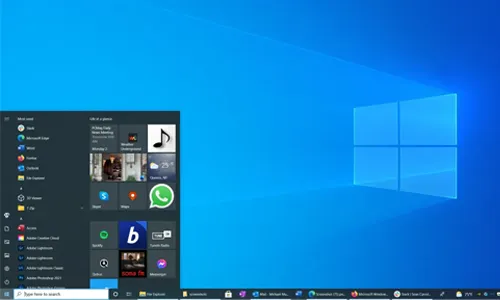
Microsoft’s Extended Security Updates (ESU) gives you a buffer—security patches only, no new features or UI changes.
How ESU Works & What’s Free
- Consumer ESU is available for up to one year (through October 13, 2026) for eligible Windows 10 devices.
- Microsoft offers a free path in many cases—by signing in with a Microsoft account and enabling Windows Backup (syncing certain settings to OneDrive).
- You can also pay or redeem 1,000 Microsoft Rewards points to activate ESU.
- In the European Economic Area (EEA), Microsoft has announced ESU will be free without needing the backup/sync step.
Requirements & Steps to Enroll
To enroll:
- Ensure your PC is running Windows 10 version 22H2 with all updates installed.
- Have administrator access on your computer.
- Enroll via Settings → Update & Security → Windows Update when the “Enroll now” option appears.
- Choose the free backup sync method or use reward points/payment option.
Once enrolled, the Windows Update screen will show that security updates are extended through October 2026.
If You Can, Upgrade to Windows 11
For many users, migrating to Windows 11 is the long-term solution. Microsoft encourages this path.
Things to Check
- Your PC hardware must meet requirements: 64-bit processor, TPM 2.0, Secure Boot, etc.
- If eligible, the upgrade is free and retains your files, apps, and settings.
- Before upgrading, back up everything. Even though the upgrade is “in place,” mistakes happen.
If your hardware doesn't support Windows 11, ESU remains your buffer option while you plan for replacement.
Risks of Staying on Unsupported Windows 10
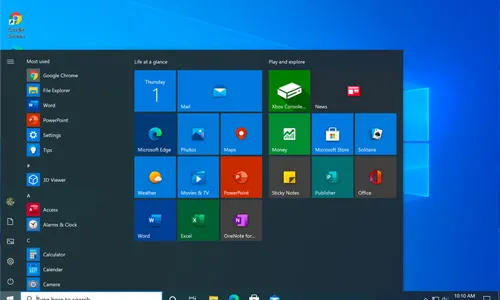
Continuing with unsupported Windows 10 support is possible—but risky:
- Zero-day vulnerabilities will go unpatched. Hackers will target these systems.
- Malware and ransomware risk increases. No fresh defenses.
- Compatibility issues. Drivers or software updates may drop support for Windows 10.
- Regulatory or compliance issues. For business users, running an unpatched OS may violate data protection norms.
If you handle sensitive data, financial transactions, or work-critical tools, it’s especially risky to stay unprotected.
What You Should Do Right Now
- Check your Windows version (Settings → System → About). Must be 22H2.
- Install all pending updates to make sure the “Enroll now” option appears.
- Decide your path:
- If eligible, upgrade to Windows 11.
- If not, enroll in ESU (free or paid).
- Back up all your data (locally + cloud).
- Gradually plan to replace hardware if your PC is too old.
- After enrolling in ESU or upgrading, run periodic security scans, keep apps updated, and stay cautious of unusual activity.
FAQs About Windows 10 Support Ending
1. When does Windows 10 support officially end?
October 14, 2025. After that, there will be no more features or security updates.
2. What is ESU, and how long will it last?
ESU (Extended Security Updates) provides critical security patches until October 13, 2026, for enrolled Windows 10 PCs.
3. Can I get ESU for free?
Yes, if you sign in with a Microsoft account and enable the Windows Backup sync method, many users qualify for free ESU.
4. Does ESU include new features and bug fixes?
No. ESU only covers security updates. You will not receive new features, UI enhancements, or non-security bug fixes.
5. What if my PC isn’t eligible for Windows 11?
If hardware doesn't meet requirements, ESU will buy you extra time. Use that period to plan for a hardware upgrade or shift to an alternate OS like Linux.
6. Will Office apps still be supported on Windows 10 after it ends?
Some Microsoft 365 apps will continue receiving security updates through August 2028 for Windows 10. But standalone versions like Office 2016/2019 support will also reach the end of life.




Can a Smart Home Work Without Internet? Explained
Solana’s Worth in Future: What Could 1 SOL Be Worth?
How to Wake Up the System From Sleep Mode on Any Computer
The Mokacam 4K Sports and Action Camera: Tiny but Powerful