Privacy continues to be a major topic in mobile tech, and Google is taking big steps to give users more control over their data. One of the most notable changes coming with the Android 16 update focuses on Android 16 location tracking, making it easier than ever to identify which apps are accessing your device’s location in the background or foreground. For many users, location permission dialogs and settings can feel confusing. Android 16 changes that by providing clearer alerts when apps use your location — even when you’re not actively using them. What’s New in Android 16 Location Tracking Android 16 includes a redesigned notification system specifically for location access: 1. Clear Location Alerts When an app uses your location — whether in the foreground or background — Android 16 now shows a persistent alert. This makes it harder...
Privacy continues to be a major topic in mobile tech, and Google is taking big steps to give users more control over their data. One of the most notable changes coming with the Android 16 update focuses on Android 16 location tracking, making it easier than ever to identify which apps are accessing your device’s location in the background or foreground.
For many users, location permission dialogs and settings can feel confusing. Android 16 changes that by providing clearer alerts when apps use your location — even when you’re not actively using them.
What’s New in Android 16 Location Tracking

Android 16 includes a redesigned notification system specifically for location access:
1. Clear Location Alerts
When an app uses your location — whether in the foreground or background — Android 16 now shows a persistent alert. This makes it harder for apps to quietly track you without your awareness.
2. Easier Access to Permission History
Google has improved the interface so you can quickly see which apps accessed location and when. Instead of hunting through menus, a dedicated location timeline gives you context at a glance.
3. Enhanced Permission Controls
Rather than simple “Allow” or “Deny” toggles, Android 16 lets you choose approximate vs precise location, and whether the app can use location only while you’re actively using it.
These updates give users more transparency — a major step forward in mobile privacy.
Why Android 16 Location Tracking Matters
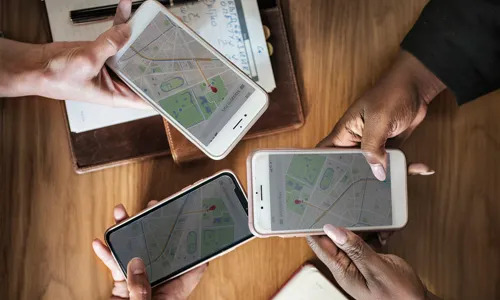
Many apps request location permissions even when they don’t clearly need them, creating a potential privacy risk. With Android 16:
- You won’t be surprised by silent background tracking
- You can revoke access quickly if an app oversteps
- You get context about how and when location is used
For example, a weather app legitimately needs location to provide accurate forecasts — but a simple note app or game probably does not. The new alerts help you make that distinction.
Real-World Impact for Users

Better Privacy Awareness
Many users previously had no idea which apps accessed their location at odd hours. Android 16’s alerts provide accountability.
Simplified Controls
Rather than navigating deep menus, Android 16 brings location permission history and settings into a more visible space.
Peace of Mind
Knowing that your phone will notify you when an app accesses your location makes it far easier to trust your device.
FAQs
1. What is Android 16 location tracking?
It’s a privacy feature that shows when apps access your location and helps you manage those permissions clearly.
2. Will Android 16 notify me for all location access?
Yes — both foreground and background location use triggers clearer alerts.
3. Can I limit how apps use my location?
Yes — Android 16 lets you choose approximate vs precise location and foreground-only access.
4. Does this work on all Android phones?
The feature is tied to Android 16 and depends on device support and carrier rollout.
5. Does it stop location tracking entirely?
No — but it gives you tools to review and revoke permission when you want.
Android 16 location tracking improvements represent a big win for privacy-minded users. By making location access alerts clearer, permission history easier to view, and control options more intuitive, Android 16 empowers you to decide what apps really need your location data. If you value transparency and control over your personal information, the Android 16 update is a strong step toward safer mobile use.




Can a Smart Home Work Without Internet? Explained
Solana’s Worth in Future: What Could 1 SOL Be Worth?
How to Wake Up the System From Sleep Mode on Any Computer
The Mokacam 4K Sports and Action Camera: Tiny but Powerful