Last week, we learned how to quickly turn off notifications on Android and iPhone. But if you thought that was enough to reduce distractions, there’s a smarter feature you should know about. This week, let’s explore bedtime mode—a built-in setting that goes beyond silencing notifications to actually help you disconnect, relax, and sleep better. Bedtime Mode vs Turning Off Notifications Feature Turn Off Notifications Bedtime Mode Silences alerts ✅ ✅ Blocks distractions fully ❌ ✅ Grayscale screen ❌ ✅ App restrictions ❌ ✅ Automatic schedule ❌ ✅ Sleep-focused features ❌ ✅ What Is Bedtime Mode? Bedtime mode is a phone setting that reduces distractions at night by silencing notifications, limiting app usage, and changing the screen to grayscale or dim mode to help you sleep better. What Does Bedtime Mode Actually Do? Bedtime mode is more than just a “Do...
Last week, we learned how to quickly turn off notifications on Android and iPhone. But if you thought that was enough to reduce distractions, there’s a smarter feature you should know about. This week, let’s explore bedtime mode—a built-in setting that goes beyond silencing notifications to actually help you disconnect, relax, and sleep better.
Bedtime Mode vs Turning Off Notifications
| Feature |
Turn Off Notifications |
Bedtime Mode |
| Silences alerts |
✅ |
✅ |
| Blocks distractions fully |
❌ |
✅ |
| Grayscale screen |
❌ |
✅ |
| App restrictions |
❌ |
✅ |
| Automatic schedule |
❌ |
✅ |
| Sleep-focused features |
❌ |
✅ |
What Is Bedtime Mode?
Bedtime mode is a phone setting that reduces distractions at night by silencing notifications, limiting app usage, and changing the screen to grayscale or dim mode to help you sleep better.
What Does Bedtime Mode Actually Do?

Bedtime mode is more than just a “Do Not Disturb” switch. It combines multiple features to help your brain wind down.
Here’s what typically happens when you turn it on:
- Silences notifications so you’re not disturbed
- Turns the screen grayscale (on Android) to reduce visual stimulation
- Limits app usage to prevent late-night scrolling
- Dims the screen for less eye strain
- Syncs with sleep schedules, so it turns on automatically
It’s essentially your phone saying: “Hey, it’s time to sleep.”
How to Turn On Bedtime Mode on Android
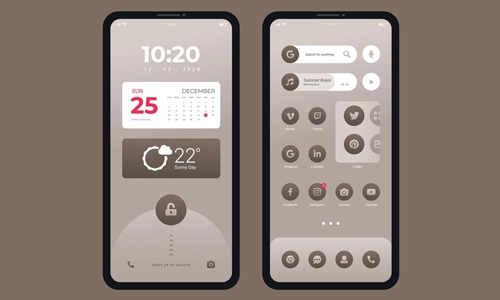
Most Android phones (especially Google Pixel and Samsung devices) include bedtime mode under Digital Wellbeing.
Steps
- Open Settings
- Tap Digital Wellbeing & Parental Controls
- Select Bedtime Mode
- Tap Turn On Now
Optional Setup
- Set a schedule (like 10 PM to 7 AM)
- Enable grayscale
- Turn on Do Not Disturb
How to Turn Off Bedtime Mode on Android
- Go to Settings
- Tap Digital Wellbeing
- Select Bedtime Mode
- Toggle it Off
You can also disable the schedule if it keeps turning on automatically.
How to Turn On Bedtime Mode on iPhone
On iPhones, bedtime mode is part of Sleep Focus in the Health app.
Steps
- Open Health app
- Tap Browse > Sleep
- Set up your Sleep Schedule
- Enable Sleep Focus
Alternatively:
- Go to Settings > Focus > Sleep
- Toggle it On
How to Turn Off Bedtime Mode on iPhone
- Open Control Center
- Tap Focus
- Turn off Sleep Focus
Or go to:
- Settings > Focus > Sleep → Toggle Off
Why You Should Use Bedtime Mode
Still wondering if it’s worth it? Here’s what you gain:
- Better sleep quality
- Less screen addiction at night
- Reduced eye strain
- Fewer distractions before bed
It’s one of the easiest ways to build a healthier nighttime routine without extra apps.
Bedtime Mode vs Do Not Disturb
People often confuse the two—but they’re not the same.
| Feature |
Bedtime Mode |
Do Not Disturb |
| Silences notifications |
✅ |
✅ |
| Grayscale screen |
✅ |
❌ |
| App limits |
✅ |
❌ |
| Sleep schedule |
✅ |
❌ |
Bottom line: Bedtime mode is a smarter, sleep-focused version of Do Not Disturb.
Pro Tips to Use Bedtime Mode Better
- Schedule it 30–60 minutes before sleep
- Combine it with Night Light / Blue Light filter
- Keep only important contacts allowed
- Avoid “just checking one thing” — it never ends
FAQs
1. Does bedtime mode block calls?
It can, but you can allow calls from selected contacts like family or emergencies.
2. Why does my phone turn grayscale at night?
That’s part of bedtime mode to reduce screen stimulation and help you sleep faster.
3. Is bedtime mode good for sleep?
Yes. It reduces distractions and screen exposure, which can improve sleep quality.
4. Can I customize bedtime mode?
Yes. You can adjust schedules, allow certain apps, and control notifications.
5. Is bedtime mode available on all phones?
Most modern Android devices and iPhones support it, though the name and features may vary.
If your phone is the last thing you see before sleep, bedtime mode is a feature you shouldn’t ignore. It’s simple, built-in, and actually effective. Instead of relying on willpower, let your phone do the work—so you can finally get the rest you need.
Similarly, you can activate focus mode, screen time while driving or walking, theatre mode, relax mode, game mode, and more!



DNS to Block Ads: How to Stop Ads on Any Device Fast
What Will a $10,000 Investment in Bitcoin Be Worth in 10 Years?
How to Use Voice Typing on Your Phone: A Complete Guide
How to Format a USB Drive Easily on Any Device Today