Most people rarely think about their modem—until the internet starts acting up. Slow speeds, random disconnections, or buffering during a simple video call often lead to one question: Is it time to replace your modem? If you’ve been using the same device for years, the answer might be yes. But how often should you replace your modem, really? Let’s break it down in a simple and practical way. What Does a Modem Actually Do? Before deciding when to replace it, it helps to understand its role. A modem connects your home to your internet service provider (ISP). It translates signals so your devices—phones, laptops, smart TVs—can access the internet. In short: No modem = no internet. That’s why even a small issue with it can affect your entire connection. How Long Does a Modem Usually Last? On average, a modem...
Most people rarely think about their modem—until the internet starts acting up. Slow speeds, random disconnections, or buffering during a simple video call often lead to one question: Is it time to replace your modem?
If you’ve been using the same device for years, the answer might be yes. But how often should you replace your modem, really? Let’s break it down in a simple and practical way.
What Does a Modem Actually Do?
Before deciding when to replace it, it helps to understand its role.
A modem connects your home to your internet service provider (ISP). It translates signals so your devices—phones, laptops, smart TVs—can access the internet.
In short: No modem = no internet.
That’s why even a small issue with it can affect your entire connection.
How Long Does a Modem Usually Last?
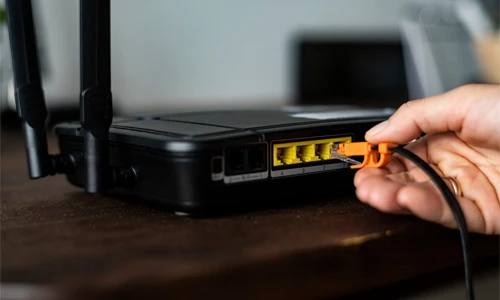
On average, a modem lasts:
- 3 to 5 years under normal use
This isn’t because the device suddenly stops working. Instead, it becomes outdated compared to newer technology and faster internet standards.
As internet speeds improve, older modems struggle to keep up.
Why You Shouldn’t Keep a Modem Forever
It’s tempting to keep using a modem as long as it “works.” But there are a few reasons why that’s not ideal.
1. Technology Keeps Changing
Internet providers regularly upgrade their networks.
Older modems may:
- Not support higher speeds
- Struggle with modern data demands
- Limit your internet plan’s full potential
So even if your plan is fast, your modem could be slowing things down.
2. Performance Drops Over Time
Like most electronics, modems can wear out.
You might notice:
- Slower connection speeds
- Frequent restarts needed
- Unstable connectivity
These are subtle signs that your modem is aging.
3. Security Risks Increase
Older modems may stop receiving firmware updates.
That means:
- Potential security vulnerabilities
- Less protection against modern threats
Upgrading helps keep your network safer.
Signs You Should Replace Your Modem
If you’re unsure whether it’s time, look for these clear signs:
Your Internet Feels Slower Than Usual
Even after upgrading your plan, speeds don’t improve.
This often means your modem can’t support the new speed.
Frequent Disconnections
If your internet drops randomly, your modem could be struggling to maintain a stable connection.
Your Modem Is Over 4–5 Years Old
Even if it works fine, it may be outdated.
Newer models are:
- Faster
- More efficient
- Better suited for modern usage
Your ISP Recommends an Upgrade
Internet providers often update compatibility lists.
If your modem is no longer supported, it’s time to replace it.
Does Replacing Your Modem Improve Speed?
Yes—but only in certain situations.
Replacing your modem helps if:
- Your current one is outdated
- It doesn’t support your internet plan
- It’s causing performance issues
However, if your modem is already modern, upgrading won’t magically increase speed.
The key is compatibility, not just replacing it.
Modem vs Router: Don’t Get Confused
Many people mix these up.
- Modem = Connects you to the internet
- Router = Distributes internet within your home
Some devices combine both, called modem-router combos.
If you’re using one of those, upgrading might mean replacing the entire unit.
Should You Rent or Buy a Modem?

This is another common question.
Renting (from ISP)
- Easy setup
- Replacements handled by provider
- Monthly cost adds up over time
Buying Your Own
- One-time cost
- Better long-term value
- More control over performance
If you plan to stay with the same ISP, buying is often the smarter choice.
How to Choose a New Modem
If you decide to upgrade, keep these points in mind:
- Check compatibility with your ISP
- Match it with your internet speed plan
- Look for newer standards (like DOCSIS 3.1)
- Avoid outdated or very cheap models
This ensures your modem doesn’t become a bottleneck.
So, How Often Should You Replace Your Modem?

Here’s the simple answer:
Every 3 to 5 years—or sooner if you notice issues.
You don’t need to replace it constantly, but waiting too long can affect:
Knowing how often you should replace your modem isn’t about following a strict rule—it’s about paying attention to performance. If your internet feels slower, less reliable, or outdated, your modem might be the reason. And upgrading it could be one of the simplest ways to improve your entire digital experience.
Tech problems don’t have to be complicated. Subscribe for clear, no-jargon insights that help you understand and fix everyday tech—without the confusion.




Can a Smart Home Work Without Internet? Explained
Solana’s Worth in Future: What Could 1 SOL Be Worth?
How to Wake Up the System From Sleep Mode on Any Computer
The Mokacam 4K Sports and Action Camera: Tiny but Powerful