In today's data-driven world, efficient data storage management is more than just a technical need—it's a core business priority. Whether you're running a small startup, a large enterprise, or managing personal files, how and where you store your data can significantly impact performance, security, and cost-efficiency. But with so many storage solutions out there—cloud-based, local servers, hybrid models—what really is the best option for data storage management? Let’s dive into the details. What Is Data Storage Management? It refers to the strategies, processes, and tools used to store, retrieve, secure, and manage digital data. It includes organizing files, allocating storage space, backing up data, ensuring data security, and optimizing storage costs. Key Factors to Consider Before Choosing a Storage Option Data Volume – How much data do you store and how fast is it growing? Access Frequency – Do you...
In today's data-driven world, efficient data storage management is more than just a technical need—it's a core business priority. Whether you're running a small startup, a large enterprise, or managing personal files, how and where you store your data can significantly impact performance, security, and cost-efficiency.
But with so many storage solutions out there—cloud-based, local servers, hybrid models—what really is the best option for data storage management? Let’s dive into the details.
What Is Data Storage Management?
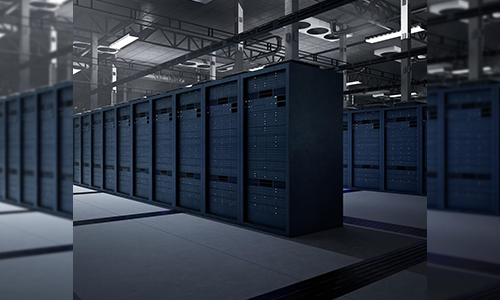
It refers to the strategies, processes, and tools used to store, retrieve, secure, and manage digital data. It includes organizing files, allocating storage space, backing up data, ensuring data security, and optimizing storage costs.
Key Factors to Consider Before Choosing a Storage Option
- Data Volume – How much data do you store and how fast is it growing?
- Access Frequency – Do you need instant access or occasional retrieval?
- Security & Compliance – Are there specific regulations you must comply with?
- Budget Constraints – Are you looking for a scalable or cost-fixed model?
- Scalability – Will the system grow as your data needs grow?
- Disaster Recovery – Do you have a reliable backup system in place?
Top Options for Data Storage Management

1. Cloud Storage
Cloud storage has become the go-to option for many, thanks to its flexibility, scalability, and remote access features.
- Examples: Google Drive, AWS S3, Dropbox, Microsoft OneDrive
- Pros: Scalable, accessible from anywhere, automatic backups
Cons: Monthly costs, dependent on internet connectivity
Best For: Teams that collaborate remotely, businesses with dynamic storage needs, and those looking for off-site disaster recovery.
2. Network Attached Storage (NAS)
NAS devices are physical storage servers connected to your local network. They allow multiple users to access files over a network.
- Pros: Fast local access, ideal for media-heavy workloads
- Cons: Limited scalability, high upfront cost
Best For: Small businesses or creative professionals dealing with large files (videos, photography, etc.)
3. Storage Area Networks (SAN)
Used by larger enterprises, SAN provides high-speed data transfer between servers and storage devices.
- Pros: Very fast, ideal for high-performance workloads
- Cons: Expensive and complex setup
Best For: Data centers, financial institutions, or large-scale applications that require high availability.
4. Hybrid Storage Solutions
Hybrid storage combines local and cloud storage into a single system, offering flexibility and redundancy.
- Pros: Combines the speed of local storage with the scalability of cloud
- Cons: Requires management across two systems
Best For: Companies that need the speed of local access with the flexibility of the cloud.

5. External Hard Drives and SSDs
Still a viable option for individuals and small setups.
- Pros: Affordable, portable
- Cons: Vulnerable to physical damage and theft
Best For: Personal backups, small file libraries, and short-term data portability.
Cloud vs On-Premises vs Hybrid: Which One Wins?
| Feature |
Cloud Storage |
On-Premises (NAS/SAN) |
Hybrid Solution |
| Cost |
Subscription-based |
High upfront cost |
Medium cost |
| Scalability |
High |
Limited |
High |
| Access |
Anywhere |
Local only |
Local + Remote |
| Maintenance |
Vendor-managed |
Self-managed |
Both |
| Backup & Recovery |
Automatic |
Manual or semi-auto |
Flexible |
| Security |
High (if configured) |
High (physically secure) |
High (if integrated) |
Trends in Data Storage Management
- AI-Powered Storage Optimization – Automatically detect and move files based on usage patterns.
- Zero Trust Security – Especially important in hybrid and cloud systems.
- Green Data Centers – Companies are moving towards energy-efficient storage options.
- Edge Storage – Data processed and stored closer to the source for faster analytics.

Tips for Effective Data Storage Management
- Automate Backups: Set up scheduled backups to avoid data loss.
- Tag and Organize Files: Use metadata and logical naming conventions.
- Use Storage Analytics: Most cloud systems offer insights into file usage and space.
- Encrypt Sensitive Data: Whether on-premises or in the cloud.
- Plan for Growth: Choose systems that can scale as your data grows.
Best Practices for Businesses
- Conduct regular audits of your data storage system.
- Use tiered storage: move rarely accessed data to cheaper cold storage.
- Train your team on data handling and access protocols.
- Establish a disaster recovery plan with clearly defined RTOs and RPOs.
Frequently Asked Questions (FAQ)
1. What is the best type of data storage for small businesses?
Cloud storage is usually the most cost-effective and scalable option for small businesses.
2. Is hybrid storage better than cloud-only storage?
Hybrid systems offer the benefits of both speed and remote accessibility, making them ideal for many mid-sized businesses.
3. Can data storage systems prevent data breaches?
While storage systems play a part, preventing data breaches also requires good access control, encryption, and user awareness.
4. How often should I back up my data?
It depends on your operations, but daily incremental backups and weekly full backups are standard for many organizations.
5. What is cold storage in data management?
Cold storage refers to storing infrequently accessed data in cost-effective, slower-access systems.
Choosing the best option for data storage management depends entirely on your specific needs, goals, and growth plans. Cloud solutions work great for flexibility and scale, while local servers offer speed and control. For many, a hybrid system strikes the perfect balance.
Understanding your data habits, growth trends, and access needs is the first step toward building a future-ready storage ecosystem.



How Much to Invest in Ethereum Today as a Beginner
Bedtime Mode: What It Is & How to Turn It On Easily
DNS to Block Ads: How to Stop Ads on Any Device Fast
What Will a $10,000 Investment in Bitcoin Be Worth in 10 Years?