For nearly four decades, the Blue Screen of Death (BSOD) has loomed as the digital harbinger of doom for Windows users. From confusing error codes to abrupt restarts, the BSOD was synonymous with system crashes and frustration. But now, in a major update to Windows 11, Microsoft is finally retiring the BSOD and replacing it with the newly introduced Windows Black Screen of Death. So what does this change mean? Why now? And more importantly—how will it affect regular users and IT professionals? Here’s everything you need to know. Why Microsoft Is Retiring the BSOD The Blue Screen of Death has been a fixture in Windows since Windows 1.0x, evolving slightly in design and tone over time but never truly going away. However, Microsoft’s decision to phase it out in favor of the Windows Black Screen of Death is being...
For nearly four decades, the Blue Screen of Death (BSOD) has loomed as the digital harbinger of doom for Windows users. From confusing error codes to abrupt restarts, the BSOD was synonymous with system crashes and frustration. But now, in a major update to Windows 11, Microsoft is finally retiring the BSOD and replacing it with the newly introduced Windows Black Screen of Death.
So what does this change mean? Why now? And more importantly—how will it affect regular users and IT professionals? Here’s everything you need to know.
Why Microsoft Is Retiring the BSOD
The Blue Screen of Death has been a fixture in Windows since Windows 1.0x, evolving slightly in design and tone over time but never truly going away. However, Microsoft’s decision to phase it out in favor of the Windows Black Screen of Death is being framed as a move toward clarity and simplicity.
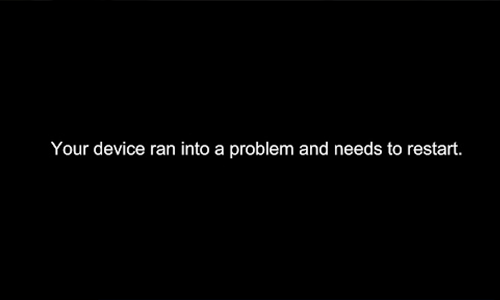
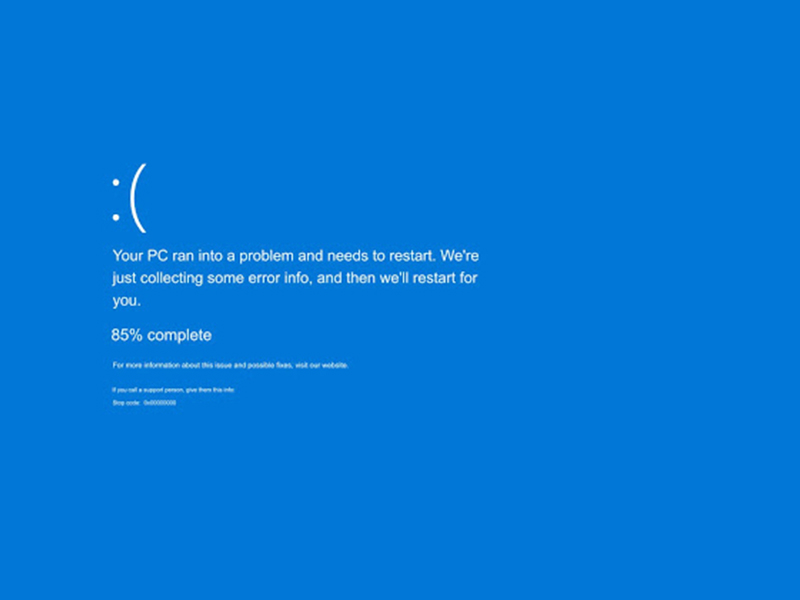
According to David Weston, VP of Enterprise and OS Security at Microsoft, the goal is to provide clearer crash information and help both Microsoft and users "get to the core of the issue faster." In the new version, the frowny face and QR code are gone. In their place: a clean black screen with essential technical data like stop codes and failing system drivers.
What Is the Windows Black Screen of Death?
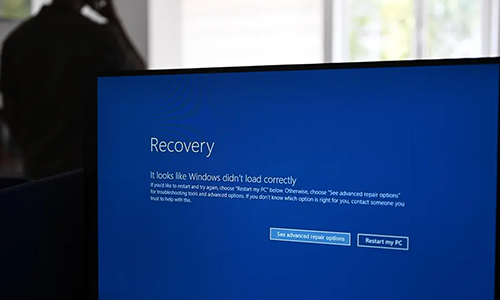
The Windows Black Screen of Death (Black BSOD) is the new default crash screen you’ll see when your PC encounters a fatal system error. While the screen still delivers the same key technical information IT teams need, its sleeker and more minimalistic design aligns better with Windows 11’s UI philosophy.
Here’s what it changes:
| Feature |
Old BSOD |
New Black Screen of Death |
| Color |
Blue |
Black |
| QR Code |
Yes |
No |
| Frowny Face |
Yes |
No |
| Crash Details |
Basic stop code |
Stop code + system driver info |
| User Guidance |
"Restart your PC" |
"Restart your PC" |
What Comes with the Black Screen: Quick Machine Recovery
In addition to changing the crash screen, Microsoft is rolling out Quick Machine Recovery, a long-awaited tool for system restoration. If your machine fails to boot properly after a crash, this feature offers a more reliable method for getting your system back online—without a full reinstallation or data loss.
The feature comes as a direct response to high-profile failures like the 2024 CrowdStrike outage, which took down over 8 million Windows systems across banks, airlines, and enterprises worldwide.
Why It’s a Big Deal for IT Admins
This update isn’t just cosmetic—it’s strategic. IT teams have long complained that the BSOD, while iconic, wasn’t always useful. The new Windows Black Screen of Death is far more helpful because:
- It pinpoints the system driver or process that caused the crash.
- It avoids distractions like emojis and QR codes, which were more user-friendly than diagnostic.
- It integrates better with remote diagnostics tools and log reporting systems, allowing for faster support turnaround.
As enterprise environments grow more complex, especially in hybrid or remote work scenarios, better crash diagnostics could reduce downtime significantly.
How Users Will Experience the Change
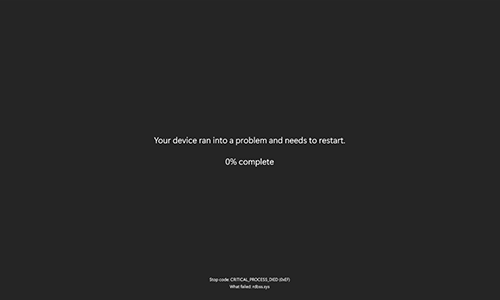
For the average user, the shift may not seem drastic—until you crash. Instead of a jarring blue screen, you’ll now see a black, minimalist display with fewer visual elements. No codes to scan. No cryptic error messages without context.
However, while the experience may appear simpler, Microsoft still recommends users follow the usual recovery steps:
- Restart your system.
- If the issue persists, use Safe Mode.
- Run diagnostic tools like “sfc /scannow” or “DISM.”
- Check device drivers and recent updates.
Should You Be Worried?
No. Crashes will still happen—it’s just that the Windows Black Screen of Death will present them differently. If anything, it may now be easier for users to report and resolve issues since technical data will be more clearly displayed.
But the key takeaway is this: Microsoft is prioritizing faster troubleshooting and recovery over nostalgia.
FAQ: Windows Black Screen of Death
- Will the Black Screen of Death completely replace the Blue Screen?
Yes, for all future versions of Windows 11 and newer, the Black Screen will be the default crash interface.
- Can you switch back to the blue screen manually?
No official toggle is offered. However, enterprise users may be able to customize crash reporting through Group Policy or third-party tools.
- Why now?
The update follows the massive CrowdStrike-related outage and increasing demands for better incident reporting from IT teams.
- Is my system less secure with this update?
Not at all. In fact, the new Quick Machine Recovery feature adds another layer of resilience to your device.
The Windows Black Screen of Death is more than a design tweak—it's a reflection of Microsoft's commitment to usability, security, and clarity. While nostalgic users may miss the iconic blue screen, the new interface represents a more modern, useful, and enterprise-friendly direction for the OS.
As Windows evolves, it's refreshing to see that even the darkest screens are getting smarter.




Can a Smart Home Work Without Internet? Explained
Solana’s Worth in Future: What Could 1 SOL Be Worth?
How to Wake Up the System From Sleep Mode on Any Computer
The Mokacam 4K Sports and Action Camera: Tiny but Powerful