Spam calls—robocalls, scams, and relentless telemarketers—aren’t just annoying; they can also be dangerous if you accidentally reveal personal information. Here’s a no-nonsense guide on how to stop spam calls with practical steps you can use right now. 1. Use Built-In Phone Features Both iOS and Android have native spam-blocking tools: iPhone: Go to Settings > Phone > Silence Unknown Callers. Calls from numbers not in your contacts go straight to voicemail. Android (Google Phone app): Enable Caller ID & Spam > Filter spam calls. You’ll see fewer unknown numbers ringing. 2. Enable Carrier Spam Filters Most major carriers in the U.S. offer free or low-cost spam-blocking services: AT&T Call Protect, Verizon Call Filter, T-Mobile Scam Shield—these automatically screen known spam numbers before your phone rings. Check your carrier’s app or customer portal to activate these features. 3. Use Third-Party Apps...
Spam calls—robocalls, scams, and relentless telemarketers—aren’t just annoying; they can also be dangerous if you accidentally reveal personal information. Here’s a no-nonsense guide on how to stop spam calls with practical steps you can use right now.
1. Use Built-In Phone Features
Both iOS and Android have native spam-blocking tools:
- iPhone: Go to Settings > Phone > Silence Unknown Callers. Calls from numbers not in your contacts go straight to voicemail.
- Android (Google Phone app): Enable Caller ID & Spam > Filter spam calls. You’ll see fewer unknown numbers ringing.
2. Enable Carrier Spam Filters
Most major carriers in the U.S. offer free or low-cost spam-blocking services:
- AT&T Call Protect, Verizon Call Filter, T-Mobile Scam Shield—these automatically screen known spam numbers before your phone rings.
- Check your carrier’s app or customer portal to activate these features.
3. Use Third-Party Apps
If built-in tools aren’t enough, apps give extra protection:
- Hiya – strong caller ID database.
- Truecaller – crowdsourced spam database, automatically flags scam calls.
- RoboKiller – blocks and even answers spam calls with pre-recorded messages.
Download from the App Store/Play Store, grant call permissions, and let the app screen calls.
4. Don’t Engage With Unknown Numbers
When you answer a spam call and press numbers or talk, you may confirm your line is active—inviting more spam. The safest approach is to let unknown numbers go to voicemail.
5. Register on Do Not Call Lists
In the U.S., you can register your number on the National Do Not Call Registry (donotcall.gov). It won’t block every spammer, but it does cut down on legitimate telemarketing calls.
6. Report Spam Calls
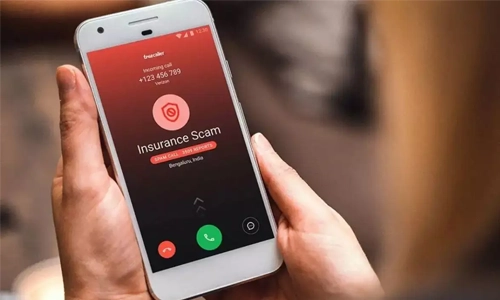
Both iOS and Android allow you to mark calls as spam after you hang up. Reporting numbers helps carriers and apps update their blocklists, reducing spam for everyone.
7. Consider a Second Number
For online sign-ups, deliveries, or one-time verifications, use a free VoIP number (Google Voice, TextNow). Keeping your main number private limits exposure.
8. Keep Your Number Off Public Sites
Avoid posting your main phone number publicly on social media, forums, or classifieds. Spam bots scrape numbers constantly. Use contact forms or email instead.
FAQs
What’s the single most effective way to stop spam calls?
Activate your carrier’s spam filter and your phone’s built-in spam blocking. Together, they screen most unwanted calls before they reach you.
Do apps like Truecaller or RoboKiller really work?
Yes. They maintain large databases of known spam numbers and block them automatically, which can dramatically reduce unwanted calls.
Will registering on the Do Not Call list stop robocalls?
It reduces legitimate telemarketing calls but won’t stop illegal robocalls entirely. Combine it with phone or carrier blocking for best results.
Can scammers still leave voicemails?
Yes. Many filters send calls to voicemail instead of blocking completely. You can then delete without listening or use apps that block voicemails too.
Combating spam calls takes a layered approach—phone settings, carrier filters, apps, and smart habits. With these steps, you can dramatically cut down on unwanted interruptions and keep your personal information safe.




Solana’s Worth in Future: What Could 1 SOL Be Worth?
How to Wake Up the System From Sleep Mode on Any Computer
The Mokacam 4K Sports and Action Camera: Tiny but Powerful
How to Choose the Best Document Scanner for Your Needs