GB, MB, and KB are units used to measure digital storage. KB (Kilobyte) is the smallest, MB (Megabyte) is larger, and GB (Gigabyte) is much larger. These units help determine the size of files, apps, photos, videos, and device storage. Let’s break it down in the simplest way possible. What Do KB, MB, and GB Mean? These are units used to measure digital data—just like grams and kilograms measure weight. KB (Kilobyte) = Small files MB (Megabyte) = Medium-sized files GB (Gigabyte) = Large files They help you understand how much storage something takes. The Exact Difference (Without Confusion) Here’s the basic conversion: 1 MB = 1024 KB 1 GB = 1024 MB So as you move from KB → MB → GB, the size increases significantly. Real-Life Examples You’ll Actually Relate To This is where it gets easier to...
GB, MB, and KB are units used to measure digital storage. KB (Kilobyte) is the smallest, MB (Megabyte) is larger, and GB (Gigabyte) is much larger. These units help determine the size of files, apps, photos, videos, and device storage.
Let’s break it down in the simplest way possible.
What Do KB, MB, and GB Mean?
These are units used to measure digital data—just like grams and kilograms measure weight.
- KB (Kilobyte) = Small files
- MB (Megabyte) = Medium-sized files
- GB (Gigabyte) = Large files
They help you understand how much storage something takes.
The Exact Difference (Without Confusion)
Here’s the basic conversion:
- 1 MB = 1024 KB
- 1 GB = 1024 MB
So as you move from KB → MB → GB, the size increases significantly.
Real-Life Examples You’ll Actually Relate To
This is where it gets easier to understand.
KB (Kilobytes)
- Text files
- Simple documents
- Small images
Think: Very lightweight data
MB (Megabytes)
- Songs (MP3 files)
- App downloads
- High-quality photos
Think: Everyday files
GB (Gigabytes)
- Movies
- Games
- Phone storage
- Laptop storage
Think: Heavy data
What Comes After GB?
While GB is commonly used in phones and laptops, storage doesn’t stop there.
Here’s what comes next:
- 1 TB (Terabyte) = 1024 GB
- 1 PB (Petabyte) = 1024 TB (used by large data centers)
TB (Terabyte) – The Next Level
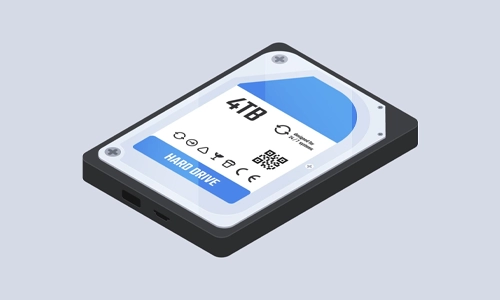
TB is now becoming very common, especially for:
- High-end laptops
- External hard drives
- Gaming consoles
- Cloud storage
Think of TB as “serious storage.”
For example:
- 1 TB can store thousands of photos
- Hundreds of HD movies
- Large software and games
Why This Matters in Daily Life
You’ve probably seen this everywhere:
- “Your phone has 128GB storage”
- “This app is 250MB”
- “File size is 500KB”
Understanding GB vs MB vs KB helps you:
- Manage storage better
- Avoid “storage full” issues
- Choose the right device
- Understand download sizes
Quick Comparison Table
| Unit |
Size |
Used For |
| KB |
Smallest |
Text, tiny files |
| MB |
Medium |
Photos, apps, songs |
| GB |
Largest |
Videos, games, storage |
| TB |
Massive Storage |
Tech companies, Cloud providers, Data centers |
MB vs Mbps: Common Confusion
MB (Megabyte) measures storage.
Mbps (Megabits per second) measures internet speed.
They are not the same thing.
For example, a 100 Mbps internet connection does not mean you download files at 100 MB per second.
Common Mistakes People Make
Thinking MB and GB Are Almost the Same
They’re not.
1 GB = 1024 MB, which is a huge difference.
Ignoring File Sizes
Downloading large files without checking the size can quickly fill your storage.
Confusing Internet Speed with Storage
- Storage = GB, MB, KB
- Internet speed = Mbps (a different concept entirely)
Pro Tip: How to Read Storage Like a Pro
- If a file is in KB, it’s tiny
- If it’s in MB, it’s manageable
- If it’s in GB, it’s heavy
This quick rule can save you from unnecessary downloads and storage issues.
FAQs
1. Which is bigger: GB, MB, or KB?
GB is the largest, followed by MB, and then KB is the smallest.
2. How many MB are in 1 GB?
1 GB equals 1024 MB.
3. How many KB are in 1 MB?
1 MB equals 1024 KB.
4. Is 1 GB enough for daily use?
It depends on usage. For light tasks like browsing or documents, it may be enough. But for apps, videos, and games, you’ll need more.
5. Why are file sizes measured in KB, MB, and GB?
These units help represent different sizes of digital data in a simple and structured way, from small files to large storage.
6. What uses more storage: photos or videos?
Videos use significantly more storage than photos, usually measured in GB rather than MB.
7. Is MB used for internet speed?
Not exactly. Internet speed is usually measured in Mbps (megabits per second), which is different from MB (megabytes).
8. How do I reduce storage usage on my phone?
You can delete unused apps, clear the cache, remove duplicate photos, and move files to cloud storage.
GB vs MB vs KB isn’t complicated once you see it in real-life terms. It’s simply a scale—from small to large—that helps you better understand your digital world. Whether you’re downloading apps or buying a new phone, this knowledge makes a real difference.
Want more simple, no-confusion tech explainers like this? Subscribe to our newsletter and get smarter about tech—one easy read at a time.


Best Password Managers We Tested And Recommend
Samsung SmartThings: Automate Your Home Easily
Tesla Cyber Truck: Exploring the New Trim, Sales Figures, and Market Impact
Samsung Galaxy Watch8 Review: Does It Live Up to the Hype?