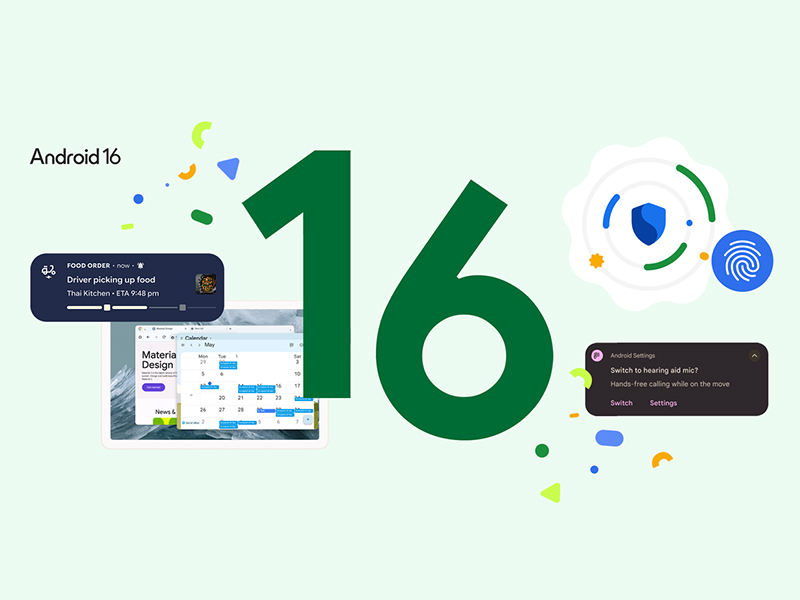
The Android 16 update is officially rolling out—starting with supported Pixel devices and coming to other Android brands in the months ahead. This marks one of the earliest launches for a major Android version in recent years, bringing with it exciting upgrades in design, security, accessibility, and tablet productivity. Whether you're a casual user, a creative, or a power professional, Android 16 offers something to enhance how you use your device. Material 3 Expressive Design: A Bolder Android UI Android 16 introduces the foundation for the new Material 3 Expressive design. It’s visually refined, more personalized, and focused on creating intuitive interactions. Expect more fluid animations, adaptive themes based on your wallpaper, and smoother transitions between apps and system elements. It’s not just eye candy—this UI helps with usability and gives Android a modern polish, especially on larger screens. Smarter...
The Android 16 update is officially rolling out—starting with supported Pixel devices and coming to other Android brands in the months ahead. This marks one of the earliest launches for a major Android version in recent years, bringing with it exciting upgrades in design, security, accessibility, and tablet productivity.
Whether you're a casual user, a creative, or a power professional, Android 16 offers something to enhance how you use your device.
Material 3 Expressive Design: A Bolder Android UI
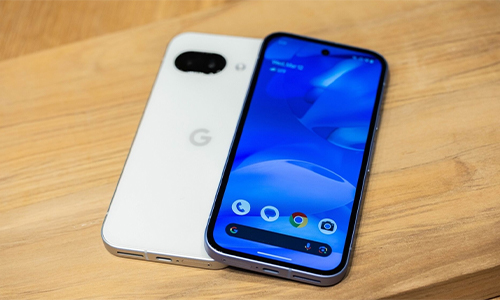
Android 16 introduces the foundation for the new Material 3 Expressive design. It’s visually refined, more personalized, and focused on creating intuitive interactions.
Expect more fluid animations, adaptive themes based on your wallpaper, and smoother transitions between apps and system elements. It’s not just eye candy—this UI helps with usability and gives Android a modern polish, especially on larger screens.
Smarter Notifications with Live Updates
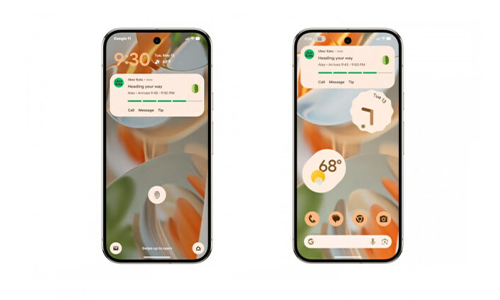
If you're tired of flipping between apps to check delivery or ride-share statuses, Android 16 fixes that. With real-time live updates, compatible apps can now show progress updates directly on your lock screen or notification panel.
Even better—notifications are grouped by default, making it easier to glance at important updates without getting overwhelmed.
Example: Instead of opening your delivery app five times, your food order status will update live in your notifications. Easy!
Big Improvements for Hearing Aid Users
Accessibility sees a major leap forward. Android 16 enhances hearing aid support with:
- The ability to switch from hearing aid mic to phone mic for clearer calls in noisy places.
- A native control panel for adjusting volume and settings for hearing devices directly from your phone.
These updates make Android not just inclusive, but also smarter for users with specific accessibility needs.
Advanced Protection: Google’s Strongest Mobile Security Yet
If you’re someone who handles sensitive information or just values top-tier digital security, Android 16’s Advanced Protection mode is for you. With a single tap, you activate:
- Real-time protection against phishing and malware
- App-level scanning for safety
- Website screening
- Scam call blocking
This is Google’s most robust security layer to date—great for journalists, executives, or anyone who takes online safety seriously.
Big-Screen Power: Tablets Get a Desktop-Like Boost
Android tablets are no longer just oversized phones. With Android 16, Google is finally treating tablets like productivity powerhouses.
New Features Include:
- Desktop Windowing: Like using a mini-PC, you can now open, resize, and move multiple app windows.
- Taskbar Overflow: Access more apps from a scrollable taskbar.
- Custom Keyboard Shortcuts: Personalize your workflow with hotkey combos.
- External Display Support (Coming Soon): Use your tablet with a monitor for full desktop mode.
Android worked closely with Samsung for these improvements—expect Samsung DeX integration to feel tighter than ever.
HDR Screenshots & Adaptive Refresh Rates
Android 16 is also refining the visual experience:
- HDR screenshots: Finally, screenshots can match the color accuracy of your display, which is great for photographers, editors, and content creators.
- Adaptive refresh rate: Automatically adjusts the screen’s refresh rate to balance smoothness and battery life.
More to Explore: Identity Check, Wear OS 6, and More
Identity Check features offer better user verification options in supported apps.
- Wear OS 6 benefits from the same Material 3 Expressive overhaul, keeping your smartwatches consistent with your phone.
- Dynamic UI adaptations depending on device lighting, color themes, and even your wallpaper.
Who Gets It First?
Android 16 is now rolling out to supported Pixel devices. Samsung, OPPO, OnePlus, and other Android manufacturers will receive the update later this year—often after some interface customizations.
Quick Comparison: Android 15 vs. Android 16
This simple comparison of Android 15 and 16 will give you hints of what features you can expect when it rolls out.
| Feature |
Android 15 |
Android 16 |
| Design Language |
Material You |
Material 3 Expressive |
| Hearing Aid Support |
Limited |
Native controls & mic switching |
| Real-Time Notifications |
No |
Yes (for supported apps) |
| Security Layer |
Standard Google Play Protect |
Advanced Protection Mode |
| Tablet Desktop Mode |
Basic Split View |
Full Desktop Windowing |
| HDR Screenshots |
No |
Yes |
| Custom Shortcuts |
No |
Yes |
FAQs About Android 16
1. Which phones will get Android 16 first?
Currently, Pixel devices are first in line. Samsung, OPPO, OnePlus, and other manufacturers will follow in late 2025.
2. What’s new for tablets in Android 16?
Expect desktop-style multitasking, keyboard shortcuts, and future external display support for select tablets.
3. Is the Advanced Protection mode available to everyone?
Yes, anyone can enable it, but it’s especially useful for high-risk individuals like public figures or business professionals.
4. Can I switch off grouped notifications?
Grouped notifications are automatic in Android 16, but you may find toggles in your Settings depending on your device brand.
The Android 16 update is more than a visual refresh—it's a meaningful evolution in how Android devices adapt to your needs. From accessibility to desktop multitasking to real-time app alerts, it’s designed to be smarter, safer, and more user-focused than ever before.
If you're a Pixel user, the future is already in your hands. For everyone else—your update is coming, and it's worth the wait.




Can a Smart Home Work Without Internet? Explained
Solana’s Worth in Future: What Could 1 SOL Be Worth?
How to Wake Up the System From Sleep Mode on Any Computer
The Mokacam 4K Sports and Action Camera: Tiny but Powerful