Ever wondered what to do with that old phone collecting dust in your drawer? Here’s a smart, budget-friendly idea: turn your old phone into a security camera. With the right setup, you can monitor your home, office, or even your pets—without spending hundreds on a new CCTV system. In this guide, we’ll walk you through how to use a phone as a security camera, the best apps for the job (like the Alfred App Security), and tips to make it reliable and safe. Why Use an Old Phone as a Security Camera? Cost-effective: No need to buy expensive CCTV equipment. Quick setup: You can start monitoring in less than 15 minutes. Portable: Move it around as needed—great for renters or temporary setups. Smart features: Motion detection, night vision, and two-way audio—features that rival professional systems. Step-by-Step: How to Turn Your...
Ever wondered what to do with that old phone collecting dust in your drawer? Here’s a smart, budget-friendly idea: turn your old phone into a security camera. With the right setup, you can monitor your home, office, or even your pets—without spending hundreds on a new CCTV system.
In this guide, we’ll walk you through how to use a phone as a security camera, the best apps for the job (like the Alfred App Security), and tips to make it reliable and safe.
Why Use an Old Phone as a Security Camera?
- Cost-effective: No need to buy expensive CCTV equipment.
- Quick setup: You can start monitoring in less than 15 minutes.
- Portable: Move it around as needed—great for renters or temporary setups.
- Smart features: Motion detection, night vision, and two-way audio—features that rival professional systems.
Step-by-Step: How to Turn Your Old Phone Into a Security Camera
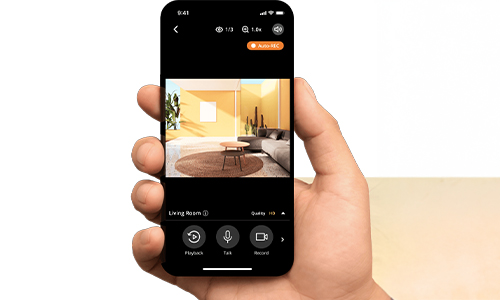
1. Choose the Right Phone
- Works best with Android 7.0+ or iOS 11+.
- Make sure the battery is in decent condition and the camera is functional.
- A cracked screen is fine—as long as the camera lens is clear.
2. Install a Security Camera App
- The Alfred App Camera is the most popular choice for this.
- Download: Available for both Android and iOS.
- Setup: Install the Alfred Security Camera app on your old phone (camera device) and your main phone (viewer device).
- Sign in: Use the same Google account on both devices.
3. Mount and Power the Camera
- Position it strategically—near entrances, hallways, or facing valuables.
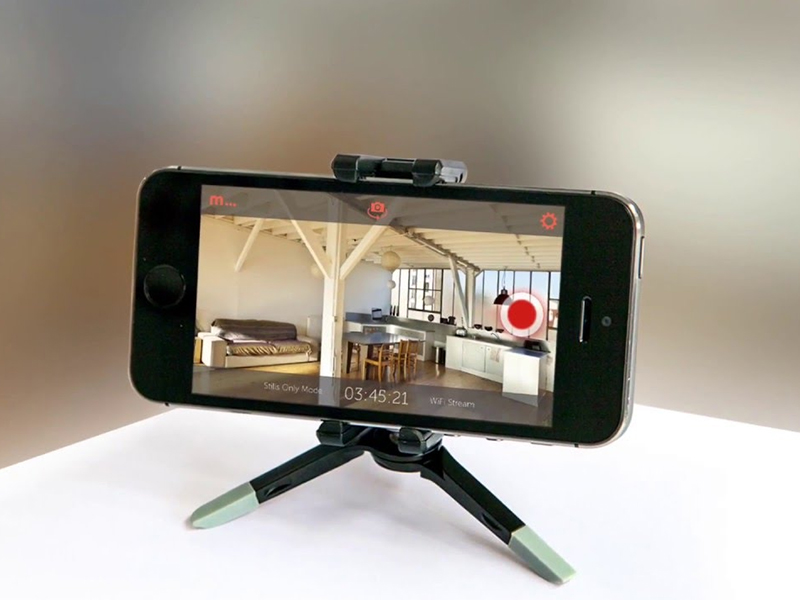
- Use a small tripod, suction mount, or wall holder.
- Keep it plugged in for uninterrupted operation.
4. Adjust Settings
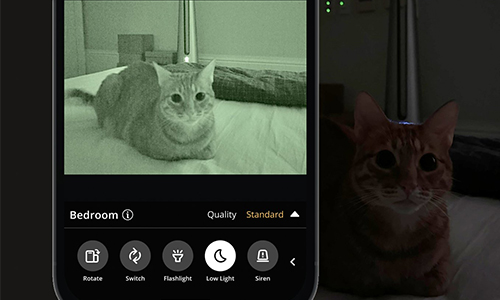
- Enable motion detection for alerts.
- Activate night vision if monitoring in low light.
- Set up two-way audio to talk through the camera.
5. Access Your Feed Anywhere
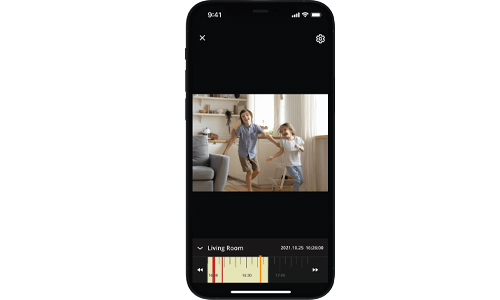
- Open the app on your main phone to watch live or review recorded clips.
- You can also log in to the Alfred Home Security Camera web viewer.
Extra Tips to Make It Work Like a Pro
- Secure your network: Always connect via a password-protected Wi-Fi.
- Hide the camera: For discreet monitoring.
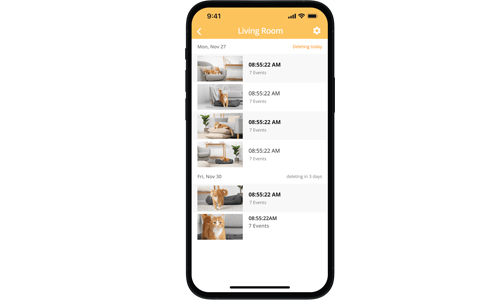
- Clear storage regularly: Recorded footage can fill up memory quickly.
- Test alerts: Make sure notifications work so you don’t miss important events.
Best Free Apps to Use Old Phone as CCTV
While Alfred is the most popular, here are other great options:
- Manything – Simple interface with cloud recording.
- AtHome Camera – Multiple camera support.
- Presence – Motion detection and email alerts.
FAQs
How to turn your old phone into a security camera?
Install a security camera app like Alfred App Security on your old phone and your main phone. Place the old phone where you want surveillance, connect it to Wi-Fi, and you’re ready.
What are the best free apps to turn your old phone into a security camera for Android?
Top choices include Alfred, AtHome Camera, and Manything. Alfred is the easiest for beginners.
Is the Alfred Camera safe?
Yes. The Alfred Homey Security Camera uses encryption and requires account sign-in, making it secure for most home users.
Can I use my old phone as CCTV without Wi-Fi?
You’ll need at least a mobile data connection for live viewing. Without internet, you can only record locally to the device.
Instead of letting your old phone go to waste, use your old phone as CCTV and enjoy peace of mind at virtually no cost. With a few minutes of setup and the right app, you can have a home security camera Alfred system running 24/7.



Solana’s Worth in Future: What Could 1 SOL Be Worth?
How to Wake Up the System From Sleep Mode on Any Computer
The Mokacam 4K Sports and Action Camera: Tiny but Powerful
How to Choose the Best Document Scanner for Your Needs