With remote work and small businesses relying on internet connectivity, securing a SOHO (Small Office/Home Office) network is critical. Cyber threats like hacking, ransomware, and phishing attacks are on the rise, targeting smaller setups with weak security. A report by Verizon’s 2023 Data Breach Investigations Report found that 43% of cyberattacks target small businesses, yet only 14% are prepared to defend themselves. With limited IT resources, SOHO networks are often an easy target. This guide will help you implement essential security measures to protect your data, devices, and business operations. 1. Use a Strong Firewall A firewall is the first line of defense against cyber threats, preventing unauthorized access to your network. Most modern routers come with a built-in Network Address Translation (NAT) firewall, but for enhanced protection: Enable Stateful Packet Inspection (SPI) to filter traffic. Use an external hardware...
With remote work and small businesses relying on internet connectivity, securing a SOHO (Small Office/Home Office) network is critical. Cyber threats like hacking, ransomware, and phishing attacks are on the rise, targeting smaller setups with weak security.
A report by Verizon’s 2023 Data Breach Investigations Report found that 43% of cyberattacks target small businesses, yet only 14% are prepared to defend themselves. With limited IT resources, SOHO networks are often an easy target. This guide will help you implement essential security measures to protect your data, devices, and business operations.
1. Use a Strong Firewall
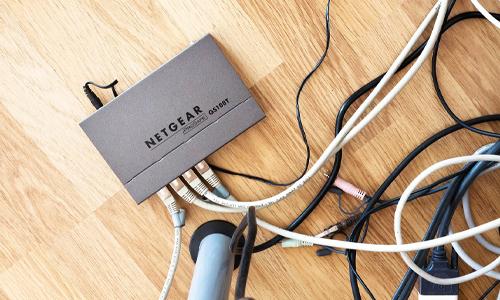
A firewall is the first line of defense against cyber threats, preventing unauthorized access to your network. Most modern routers come with a built-in Network Address Translation (NAT) firewall, but for enhanced protection:
- Enable Stateful Packet Inspection (SPI) to filter traffic.
- Use an external hardware firewall if handling sensitive business data.
- Configure firewall rules to allow only necessary inbound and outbound connections.
Brands like Cisco, Fortinet, and Netgear offer business-grade firewalls for enhanced security.
2. Secure Your Wi-Fi Network
Most hackers gain access to SOHO networks through unsecured Wi-Fi. Take the following steps:
- Change the default SSID and password – Default credentials are easy to crack.
- Use WPA3 encryption – The latest Wi-Fi Protected Access (WPA3) provides stronger security than WPA2.
- Disable WPS (Wi-Fi Protected Setup) – It is vulnerable to brute-force attacks.
- Create a separate guest network – Prevent visitors or IoT devices from accessing your main network.
Many modern routers, like the Asus RT-AX88U or TP-Link Archer AX6000, support WPA3 for stronger encryption.
3. Update Router Firmware Regularly
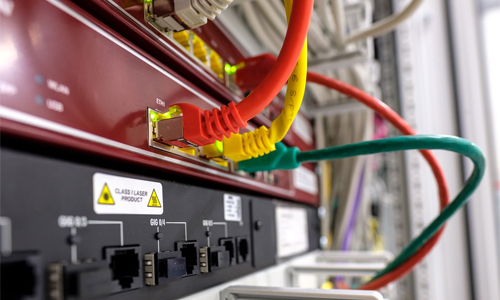
The 2021 Mirai botnet attack infected thousands of outdated routers, turning them into a network of malicious devices. Router manufacturers release firmware updates to patch vulnerabilities. Hackers exploit outdated firmware to gain control of networks.
- Enable automatic updates, if available.
- Manually check for firmware updates every few months.
- Replace old routers (more than 5 years) as they may no longer receive security updates.
4. Implement Strong Passwords and Multi-Factor Authentication (MFA)
Weak passwords are a major security risk. 60% of data breaches occur due to compromised credentials, according to Verizon.
- Use a password manager to generate and store complex passwords.
- Enable Multi-Factor Authentication (MFA) for VPNs, remote access, and important applications.
- Regularly change default credentials on all network devices.
A strong password like T@1nT#k9&23! is far more secure than password123.
5. Set Up a VPN for Secure Remote Access
Many remote workers use VPNs to prevent cybercriminals from intercepting data when using public Wi-Fi. A Virtual Private Network (VPN) encrypts internet traffic, preventing cybercriminals from spying on data.
- Use a business-grade VPN such as NordLayer, Perimeter 81, or Cisco AnyConnect.
- Avoid free VPNs, as they often lack proper security measures.
- Enable VPN access for remote employees to secure communications.
6. Enable Network Segmentation
Network segmentation divides your network into separate zones, reducing the impact of security breaches.
- Segment IoT devices (like smart cameras, printers, or smart assistants) into a different VLAN.
- Use VLANs (Virtual LANs) to keep business-critical devices separate from general network traffic.
- Restrict access to sensitive data by configuring role-based access controls.
If an IoT device like a smart thermostat is hacked, it won’t affect your business computers if properly segmented.
7. Monitor Network Traffic with Intrusion Detection Systems (IDS)
An Intrusion Detection System (IDS) alerts you to suspicious activity on your network.
- Use an IDS like Snort, Suricata, or Security Onion to monitor traffic.
- Enable router logs to track unusual access attempts.
- Set up email alerts for security events.
8. Secure Your Endpoints with Antivirus & EDR
Network security is only as strong as its weakest link—your endpoints (PCs, laptops, and mobile devices).
- Install Endpoint Detection & Response (EDR) solutions like CrowdStrike Falcon, SentinelOne, or Microsoft Defender for Business.
- Use antivirus software (Bitdefender, Norton, McAfee) for malware protection.
- Enable device encryption to secure sensitive data in case of theft.
- Backup Data Regularly
In 2021, ransomware attacks increased by 105%, with small businesses being prime targets. Data loss from ransomware attacks, hardware failure, or accidental deletion can cripple a business.
- Use a 3-2-1 backup strategy: 3 copies of data, 2 different storage types, 1 offsite backup.
- Automate daily backups using tools like Acronis, Backblaze, or Veeam.
- Test backups periodically to ensure data is recoverable.
10. Educate Employees & Household Members
95% of cybersecurity breaches are caused by human mistakes (IBM Cyber Security Report).
Human error is one of the biggest cybersecurity risks. Security awareness training should cover:
- How to identify phishing attacks – Don’t click on suspicious links.
- Safe browsing practices – Avoid downloading unverified software.
- Device security – Lock devices when unattended.
A secure SOHO network protects personal and business data from cyber threats. Implementing firewalls, strong passwords, encryption, VPNs, and regular updates will help safeguard your network. Small offices and home users must stay vigilant as cyberattacks increasingly target vulnerable setups.
Secure your network today by updating your router, enabling WPA3 encryption, and using a VPN for safer remote work. By following these 10 essential security measures, you can enhance your SOHO network’s security and protect sensitive information from cyber threats.





Solana’s Worth in Future: What Could 1 SOL Be Worth?
How to Wake Up the System From Sleep Mode on Any Computer
The Mokacam 4K Sports and Action Camera: Tiny but Powerful
How to Choose the Best Document Scanner for Your Needs