A recently reported issue affecting Google Pixel phones has sparked renewed conversations about smartphone privacy. Commonly referred to as the Google Pixel message bug, the problem appears to involve the Phone app’s voicemail features unintentionally capturing background audio in certain situations. While the feature was designed to make voicemail smarter and more convenient, the unexpected behavior has left some users questioning how much their phones may be listening — and when. What Is the Google Pixel Message Bug? Pixel phones include advanced voicemail tools that can automatically handle unanswered calls and convert voice messages into readable text. These features are meant to help users stay informed without manually checking voicemail. However, reports suggest that during voicemail recording, the phone may also pick up ambient sounds from the Pixel user’s surroundings. This unintended capture is what many are now calling the...
A recently reported issue affecting Google Pixel phones has sparked renewed conversations about smartphone privacy. Commonly referred to as the Google Pixel message bug, the problem appears to involve the Phone app’s voicemail features unintentionally capturing background audio in certain situations.
While the feature was designed to make voicemail smarter and more convenient, the unexpected behavior has left some users questioning how much their phones may be listening — and when.
What Is the Google Pixel Message Bug?
Pixel phones include advanced voicemail tools that can automatically handle unanswered calls and convert voice messages into readable text. These features are meant to help users stay informed without manually checking voicemail.
However, reports suggest that during voicemail recording, the phone may also pick up ambient sounds from the Pixel user’s surroundings. This unintended capture is what many are now calling the Google Pixel message bug — a flaw that blurs the line between caller audio and environmental noise.
Why Background Audio Matters
Most users assume voicemail features only record the caller’s voice. When background audio enters the equation, even briefly, it can create privacy concerns. Nearby conversations, household sounds, or workplace noise could become part of a message without the user realizing it.
The issue doesn’t appear to affect every device or scenario, but its existence alone highlights how sensitive microphone-based features can be when something goes wrong.
What You Can Do to Stay Protected
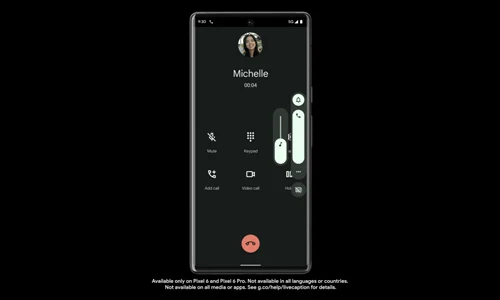
Until Google fully addresses the issue, users who want peace of mind can take a few practical steps:
- Disable advanced voicemail features temporarily - Turning off smart voicemail options limits automated audio processing and reduces the chance of unintended recordings.
- Keep apps and system software update- Bug fixes often arrive quietly through updates. Staying current helps minimize exposure to known issues.
- Be mindful of where your phone is placed- If voicemail features remain active, keeping your phone away from private conversations can reduce risk.
These steps don’t require technical expertise, but they can significantly lower the chance of unwanted audio capture.
What This Bug Says About Smart Features
The Google Pixel message bug isn’t just about one feature behaving oddly. It reflects a larger reality of modern smartphones: as devices grow more intelligent, they rely more heavily on sensors like microphones.
Smart tools bring convenience, but they also demand transparency and control. Users benefit most when they understand what features are active — and when they can easily turn them off.
The Bigger Picture for Pixel Users
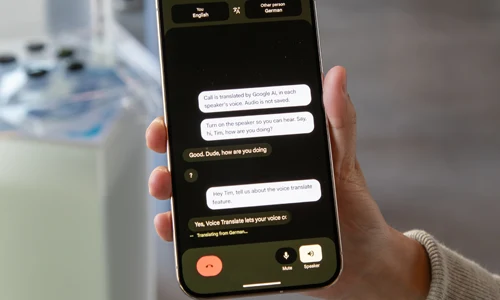
Google Pixel phones remain known for their thoughtful software and AI-driven features. Still, moments like this remind users that even well-designed systems can behave unexpectedly.
By staying informed and adjusting settings when needed, Pixel owners can continue to enjoy smart features without sacrificing comfort or privacy.
The Google Pixel message bug may not affect every user, but it offers a timely reminder to periodically review phone settings and understand how automated features work behind the scenes. Awareness, not alarm, is the best response — especially in a world where phones are always listening for our next command.





Solana’s Worth in Future: What Could 1 SOL Be Worth?
How to Wake Up the System From Sleep Mode on Any Computer
The Mokacam 4K Sports and Action Camera: Tiny but Powerful
How to Choose the Best Document Scanner for Your Needs