In today's fast-paced digital world, staying connected on the go is often essential, and mobile hotspots have become a popular solution for accessing the internet anywhere. Whether you're using a dedicated hotspot device or simply tethering your phone, mobile hotspots provide convenient connectivity. But as with any internet connection, especially wireless, safety is a key concern. Are mobile hotspots safe? What can you do to protect your data? In this blog, we’ll explore these questions and provide essential tips for safe internet use via mobile hotspots. Are Mobile Hotspots Safe? Mobile hotspots can be safe if proper precautions are taken. They rely on cellular networks to provide internet access, which is generally more secure than public Wi-Fi because it requires a SIM card and typically uses encryption. However, there are vulnerabilities to consider: Unauthorized Access If your mobile hotspot isn't...
In today's fast-paced digital world, staying connected on the go is often essential, and mobile hotspots have become a popular solution for accessing the internet anywhere. Whether you're using a dedicated hotspot device or simply tethering your phone, mobile hotspots provide convenient connectivity. But as with any internet connection, especially wireless, safety is a key concern. Are mobile hotspots safe? What can you do to protect your data? In this blog, we’ll explore these questions and provide essential tips for safe internet use via mobile hotspots.
Are Mobile Hotspots Safe?
Mobile hotspots can be safe if proper precautions are taken. They rely on cellular networks to provide internet access, which is generally more secure than public Wi-Fi because it requires a SIM card and typically uses encryption. However, there are vulnerabilities to consider:
Unauthorized Access
If your mobile hotspot isn't password-protected or uses a weak password, unauthorized users could gain access to your network, using your data and potentially accessing sensitive information.
Data Interception
Just like with any wireless network, there’s a risk of data interception. If an attacker is nearby and your connection isn’t properly secured, they could intercept your internet traffic.
Device Vulnerability
Mobile hotspot devices or phones used as hotspots could be vulnerable to malware or hacking, especially if they aren’t regularly updated or protected by strong security settings.
The bottom line is, mobile hotspots are relatively safe compared to public Wi-Fi, but they aren’t immune to risks. However, with a few precautions, you can enjoy secure internet browsing through your hotspot.
Tips for Safe Internet Use with Mobile Hotspots
1. Use Strong Passwords
One of the simplest ways to secure your mobile hotspot is by setting a strong, unique password. Avoid default passwords or common phrases like "password123." Instead, use a combination of letters, numbers, and symbols to create a robust password.
For an added layer of security, consider using a password manager to generate and store complex passwords. This minimizes the risk of anyone guessing or cracking your hotspot’s password.
2. Enable WPA3 Encryption
Most modern mobile hotspot devices support WPA3 encryption, which is the latest and most secure encryption standard for wireless networks. Ensure that your hotspot settings are configured to use WPA3 (or at least WPA2) to protect your data from potential eavesdroppers. WPA3 offers stronger protection against brute-force attacks and improves encryption for each device connected to the network.
3. Turn Off the Hotspot When Not in Use
Keeping your mobile hotspot on when you’re not using it increases the likelihood of unauthorized access. It’s a good habit to disable the hotspot when it’s not in use. Not only does this reduce the chance of someone attempting to connect, but it also conserves your device’s battery life.
4. Use a VPN (Virtual Private Network)
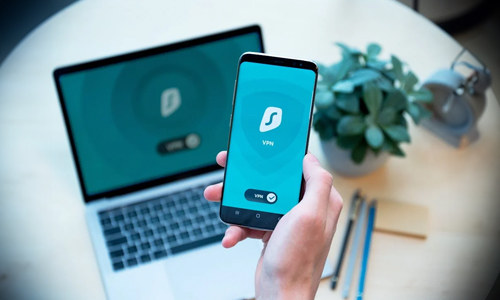
A Virtual Private Network (VPN) adds an extra layer of security by encrypting your internet traffic, making it more difficult for hackers to intercept your data. This is particularly important when accessing sensitive information, such as online banking or personal emails, through your mobile hotspot. A VPN hides your IP address and encrypts the data being transferred between your device and the internet, ensuring a more secure connection.
5. Limit Device Connections
Most mobile hotspots allow multiple devices to connect simultaneously. However, the more devices connected, the more vulnerable your network becomes. Limit the number of devices that can connect to your hotspot and regularly monitor which devices are connected. This way, you can quickly spot any unauthorized devices and remove them from the network.
6. Update Firmware and Software Regularly
Mobile hotspot devices, like any other technology, receive firmware and software updates designed to patch security vulnerabilities and improve performance. Ensure that your device is always up to date by enabling automatic updates or regularly checking for new firmware versions. This also applies if you're using a smartphone as a hotspot—keep your phone’s operating system and apps up to date for the best security.
7. Avoid Accessing Sensitive Information on Untrusted Networks
Even with a mobile hotspot, you should be cautious about accessing sensitive information, especially if you suspect the cellular network could be compromised. While mobile networks are generally safer than public Wi-Fi, they aren't immune to attacks. When in doubt, wait until you're on a more secure connection, such as a home or business network, to access sensitive accounts like banking or medical records.
8.Monitor Data Usage
Monitoring data usage not only helps you keep track of your mobile data plan but can also alert you to unusual activity. If you notice a sudden spike in data usage and you haven’t been using your devices more than usual, it could be a sign that someone is accessing your mobile hotspot without permission.
Mobile hotspots offer great convenience, but they also come with security risks if not managed properly. By following the tips above you can significantly reduce the risks associated with mobile hotspot use.
Whether you’re traveling, working remotely, or simply need a backup connection, understanding how to use mobile hotspots safely will give you peace of mind as you stay connected on the go.
By implementing these simple yet effective security measures, you can ensure your mobile hotspot provides a safe, reliable, and secure way to access the internet wherever you are.



Why Are Vertu Phones So Expensive?
Can a Smart Home Work Without Internet? Explained
Solana’s Worth in Future: What Could 1 SOL Be Worth?
How to Wake Up the System From Sleep Mode on Any Computer