If you’ve ever typed “where are my saved passwords” into a search bar, you already know the chaos of modern logins. Emails, banking apps, streaming accounts, social media, work dashboards. Each demands a unique password. Relying on memory is unrealistic. Reusing passwords is risky. That’s where password managers quietly become essential infrastructure. We tested leading options across devices, browsers, and mobile platforms to see which ones actually deliver security without friction. What Makes A Good Password Manager? Before recommending anything, we looked at: End-to-end encryption Cross-platform sync Browser integration Autofill reliability Two-factor authentication support Ease of viewing saved passwords A good passwords manager should feel invisible until you need it. Then it should work instantly. 1. Bitwarden — Best Overall Value Bitwarden consistently delivers strong encryption with transparent open-source security. Why we like it: Works on Android, iOS, Windows, Mac...
If you’ve ever typed “where are my saved passwords” into a search bar, you already know the chaos of modern logins. Emails, banking apps, streaming accounts, social media, work dashboards. Each demands a unique password.
Relying on memory is unrealistic. Reusing passwords is risky. That’s where password managers quietly become essential infrastructure.
We tested leading options across devices, browsers, and mobile platforms to see which ones actually deliver security without friction.
What Makes A Good Password Manager?
Before recommending anything, we looked at:
- End-to-end encryption
- Cross-platform sync
- Browser integration
- Autofill reliability
- Two-factor authentication support
- Ease of viewing saved passwords
A good passwords manager should feel invisible until you need it. Then it should work instantly.
1. Bitwarden — Best Overall Value
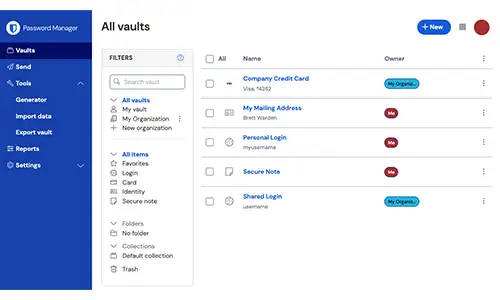
Bitwarden consistently delivers strong encryption with transparent open-source security.
Why we like it:
- Works on Android, iOS, Windows, Mac
- Excellent Chrome extension
- Secure password generator
- Free tier is genuinely usable
If you’re wondering how to view saved passwords or “show my passwords” securely across devices, Bitwarden makes it simple through its encrypted vault.
Best for: Users who want security without expensive subscriptions.
2. 1Password — Best For Families And Professionals
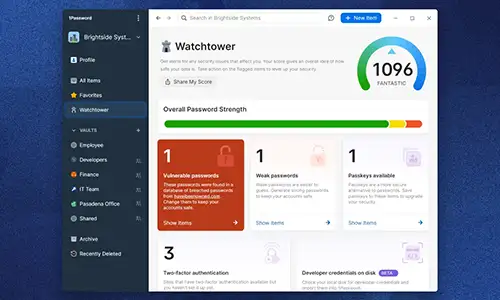
1Password feels polished and enterprise-ready.
Standout features:
- Travel Mode (temporarily hides vaults)
- Clean dashboard for managing multiple logins
- Strong password apps for mobile
- Excellent password manager for applications
It’s especially strong for shared accounts and team setups. Best for: Families, startups, and heavy multi-device users.
3. Dashlane — Best For Security Monitoring
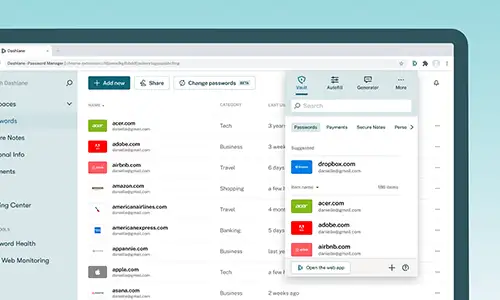
Dashlane adds dark web monitoring to the mix.
Why it stands out:
- Password health scoring
- Alerts for compromised accounts
- Built-in VPN (premium plans)
If you manage sensitive accounts like banking or social media, Dashlane adds proactive monitoring beyond simple storage.
Best for: Users who want security alerts, not just storage.
4. Google Password Manager — Best For Chrome Users
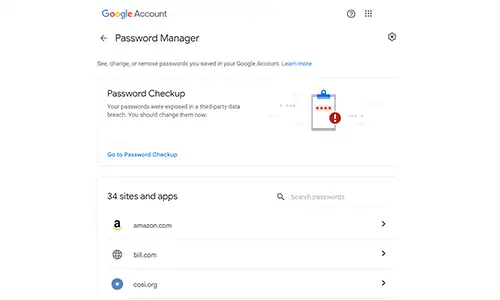
Built into Google accounts and deeply integrated with Google Chrome, this option is often overlooked.
- Automatically saves credentials in Chrome
- Syncs across Android devices
- Easy to check “my saved password on this device”
- Simple interface for password Chrome management
To show my passwords, simply go to Google Account → Security → Password Manager.
Best for: Chrome-first users who want simplicity.
5. Apple iCloud Keychain — Best For iPhone Users
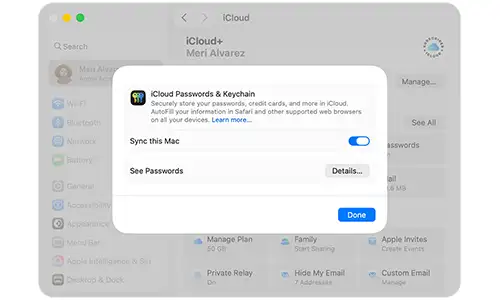
For those in the Apple ecosystem, iCloud Keychain is built-in and tightly integrated.
It allows you to:
- See WiFi and app passwords
- Autofill across Safari and apps
- Manage saved credentials easily
If you’re searching “where are my saved passwords” on an iPhone, this is usually the answer.
Best for: iOS and macOS users who prefer native tools.
Password Manager For Facebook, Google, And Apps
Modern password managers handle:
- Social platforms like Facebook
- Google accounts
- Banking apps
- Streaming services
- Work dashboards
A good password manager software must work seamlessly across browsers and applications, not just websites.
Password Managers For Android And Chrome
On Android, password apps integrate with system autofill services. Once enabled:
- Apps autofill instantly
- New passwords are generated automatically
- Saved passwords sync securely
For Chrome users, browser extensions are critical. The best managers offer:
- Instant password generation
- Secure vault access
- Autofill reliability
- Password health alerts
Where Are My Saved Passwords?
Depending on your setup:
- Chrome users → Google Password Manager
- iPhone users → iCloud Keychain
- Android users → Google or third-party vault
- Windows/Mac users → Browser settings or password manager app
But centralizing everything in one secure vault is safer than relying on scattered storage.
Using one strong password everywhere is like locking every door in your house with the same key and handing out copies. The right password managers eliminate that risk while making login effortless. Whether you choose Bitwarden for value, 1Password for polish, Dashlane for monitoring, or built-in Google tools for convenience, the goal is the same: secure, encrypted, and accessible credentials across devices.
Because the real question isn’t “show my passwords.” It’s “are they protected properly?”
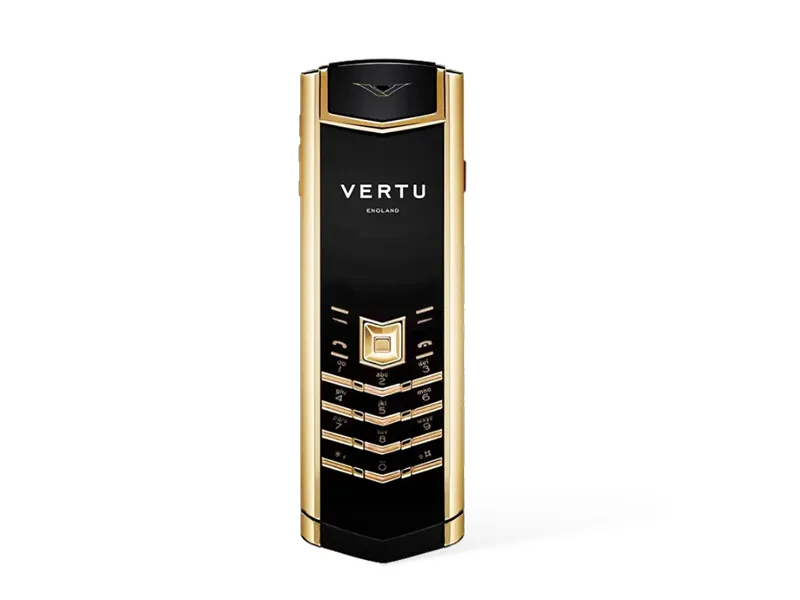



Why Are Vertu Phones So Expensive?
Can a Smart Home Work Without Internet? Explained
Solana’s Worth in Future: What Could 1 SOL Be Worth?
How to Wake Up the System From Sleep Mode on Any Computer